Builds
Schedule Me: why I built my own booking page
I could have used Calendly. I wanted the link I send recruiters to land on my own site, look like the rest of it and book straight into my Google Calendar, so I built it myself at builtbymikey.com/schedule. It's changed a lot since July 2025, and for a while it showed every Monday as booked. Below is a pretend copy you can click through, with my note on how each step really works, and every version that got it here.
Click through a pretend booking
This copy runs on made-up times. It never touches my calendar and nothing you type leaves this page, so go ahead and book me for whatever you like.
Step 1 of 3: length
How much time do you need?
What happens when you book me for real
The real page is a small Next.js app with my Google Calendar behind it. I never built a bookings table. The event on my calendar is the only record, so there's nothing else to keep in sync.
- You open the page. The server asks Google for my busy times over the next 15 weekdays in one request and reads the users-served count at the same time. Until June 2026 that took several calendar lookups, and cutting it to one is what made the page feel quick.
- It cuts my day, 8 AM to 6 PM Toronto time, into 30-minute slots and drops any that overlap something busy on my own calendar or my shared work one. Weekends are skipped by their Toronto date. That's the fix for the Monday bug you'll see further down.
- Your browser shows the slots in your time zone, with mine beside them when they differ, so neither of us has to do time zone math.
- Schedule meeting checks your details, creates the event on my calendar, and Google sends the invites. In September 2025 I had to fix those invites, because they were leaving me off the guest list of my own meetings.
- Then it emails me and adds one to the count. If either fails it's logged and your booking still stands. That email has broken before: in August 2025 I had to make sure it always reached me.
Every version, from July 2025 to now
This is the same date and time screen, version by version. Each picture is a real past build, run from its commit on made-up times. Slide to move through them and watch it slowly start to look like the rest of this site.
Version 1 of 5: Jul 31, 2025
July 2025: it works, and looks like everyone else’s
Blue buttons on white, a calendar icon for a logo and "Book time with Michael". It worked, and it looked like any booking page, which kind of defeated the point of not using Calendly. A week later I made 12 commits in one day, from "Aug 7" to "Aug 7v.13", one of them a revert of "aug3.final". By the end of August one commit was just called "Plz work".
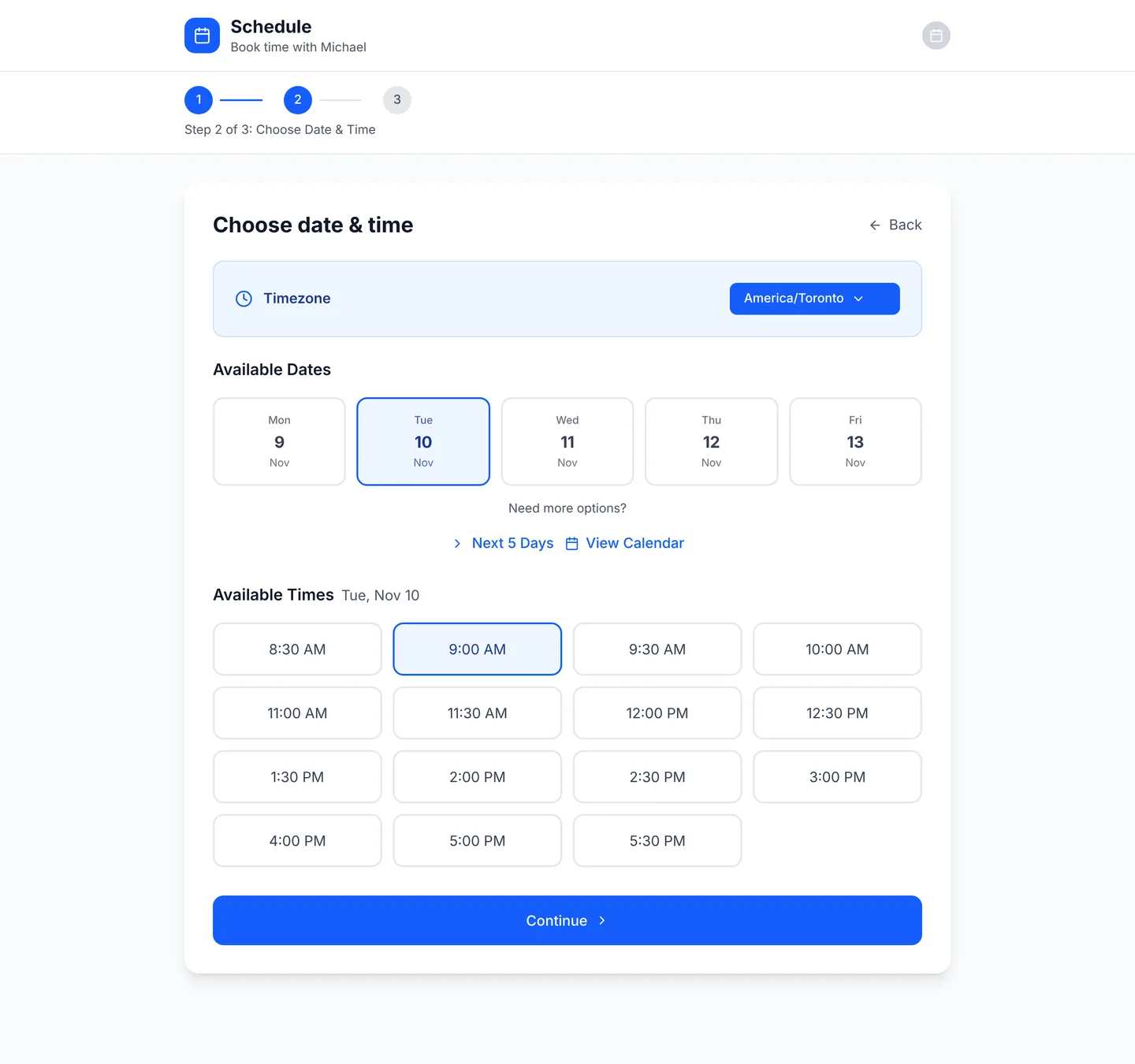
f949177 and run with made-up times, so no real calendar shows.Where AI fits in
There's no AI inside Schedule Me. The chat on this site can tell you whether I'm open to new roles and send you to the booking page, but it can't see my calendar.
The AI is in how I built it. I wrote most of the 2026 changes with Claude, and since November the agents on my Agent Board work on it too.
Now book the real one
That was pretend. The real page is at builtbymikey.com/schedule, and booking there puts an actual meeting on my calendar.